Getting started
Resetting your password
Get a reset link by email and choose a new password for your RetailFix account.
Download the PDF1Ask for a reset link#
On the login form, click Forgot your password?. Enter your email address 1 and click Send Reset Link 2.
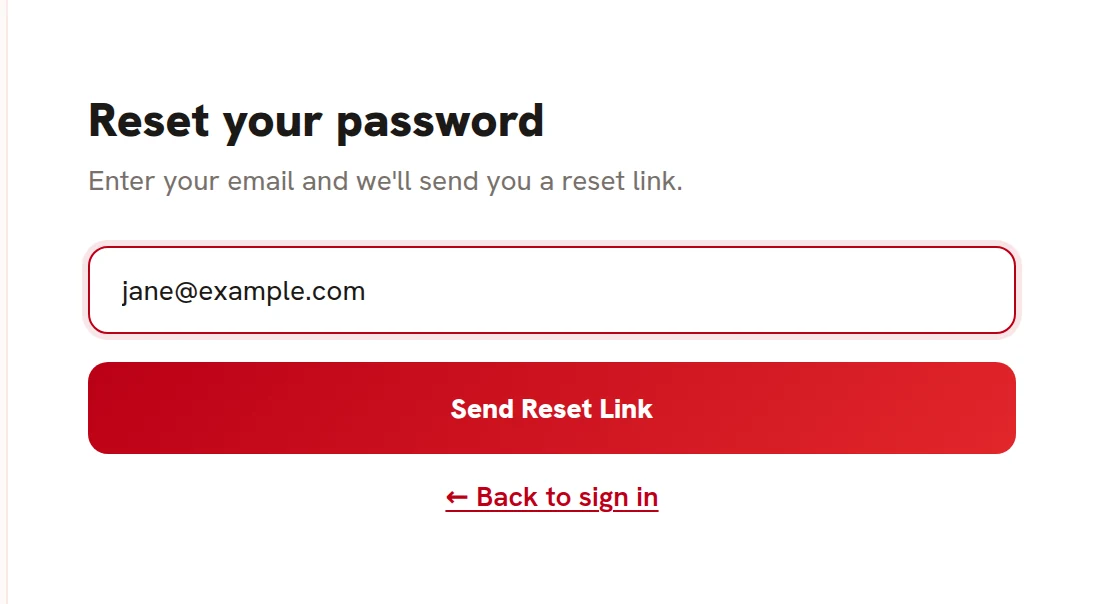 12
122Check your inbox#
The form says If an account exists with that email, we've sent a password reset link. Check your inbox. 1 It says the same thing whatever address you enter, so nobody can use it to find out who has an account.
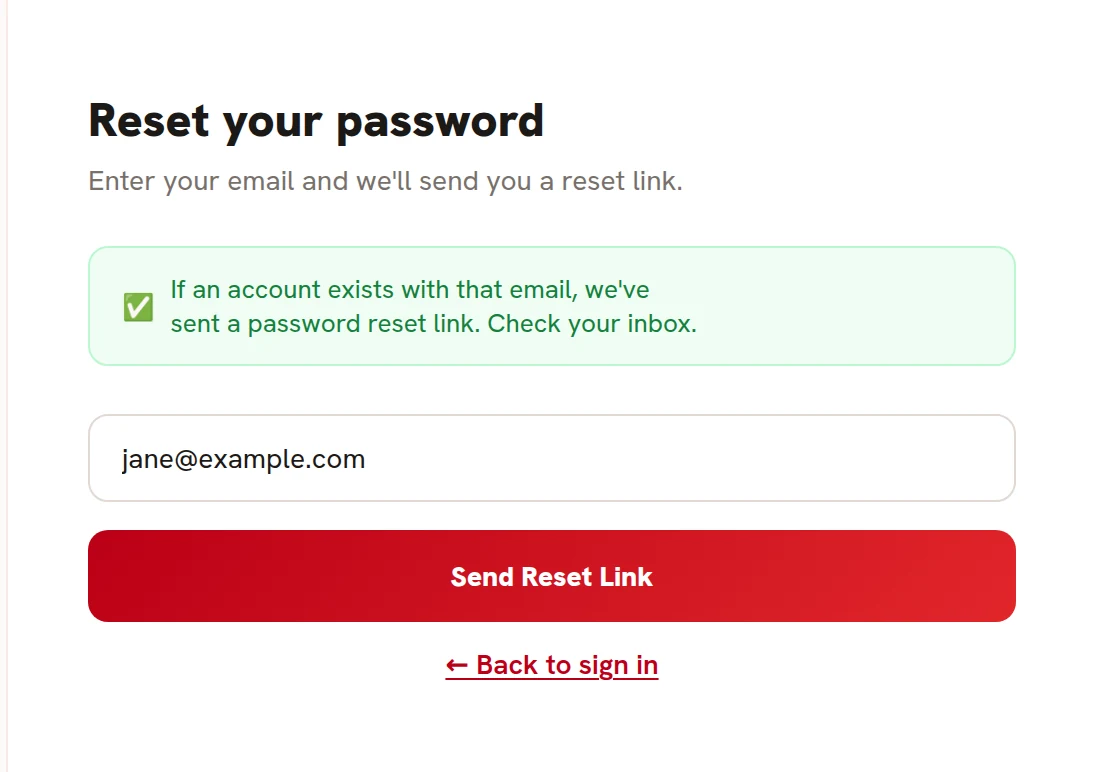 1
13Open the reset email#
Open the email called Reset your RetailFix password 1 and click the link 2. The link works for 24 hours, and only once.
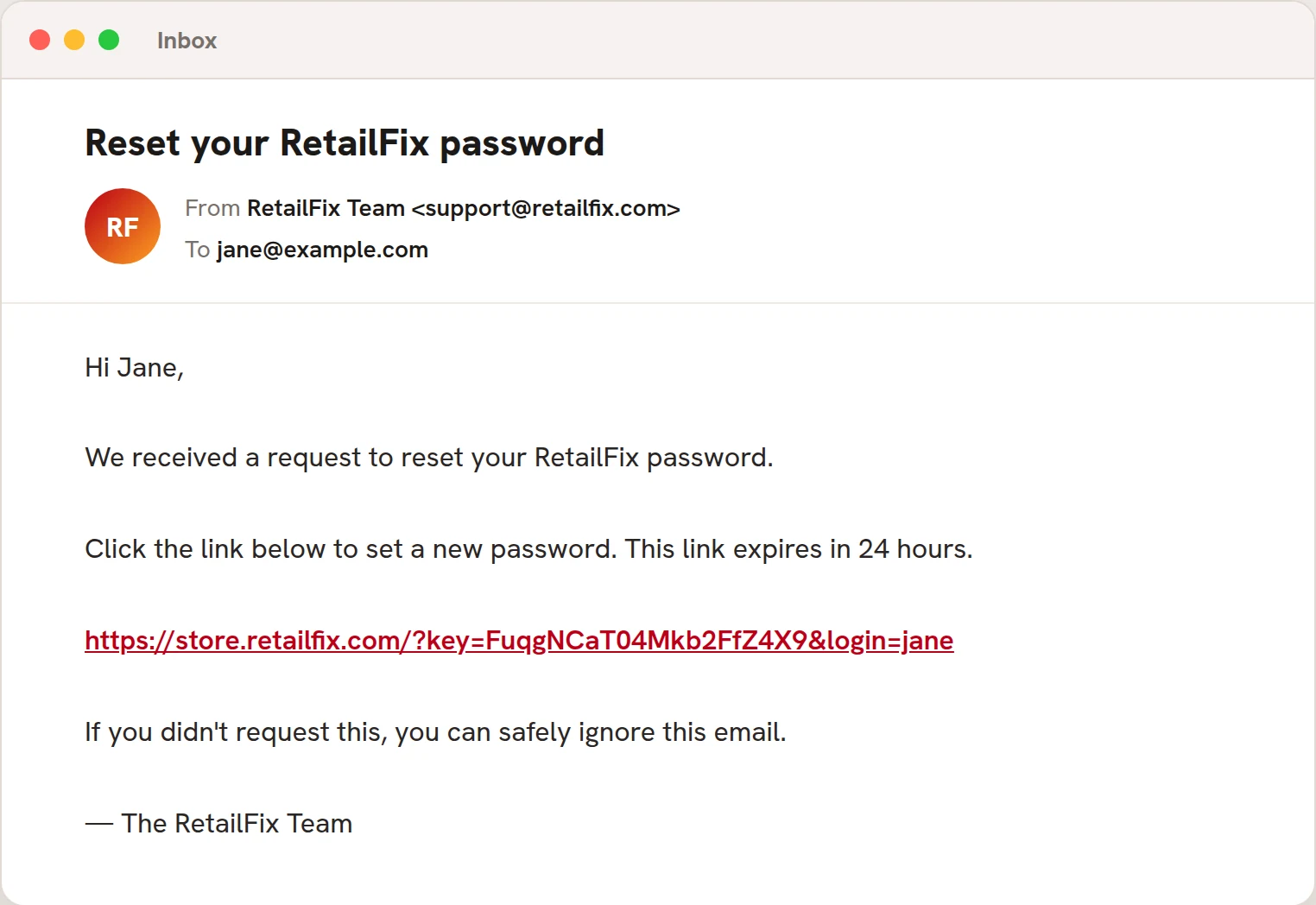 12
124Choose your new password#
Type a new password of at least 12 characters 1, type it again 2, and click Set New Password 3. It has to be different from your current password.
You're logged in straight away.
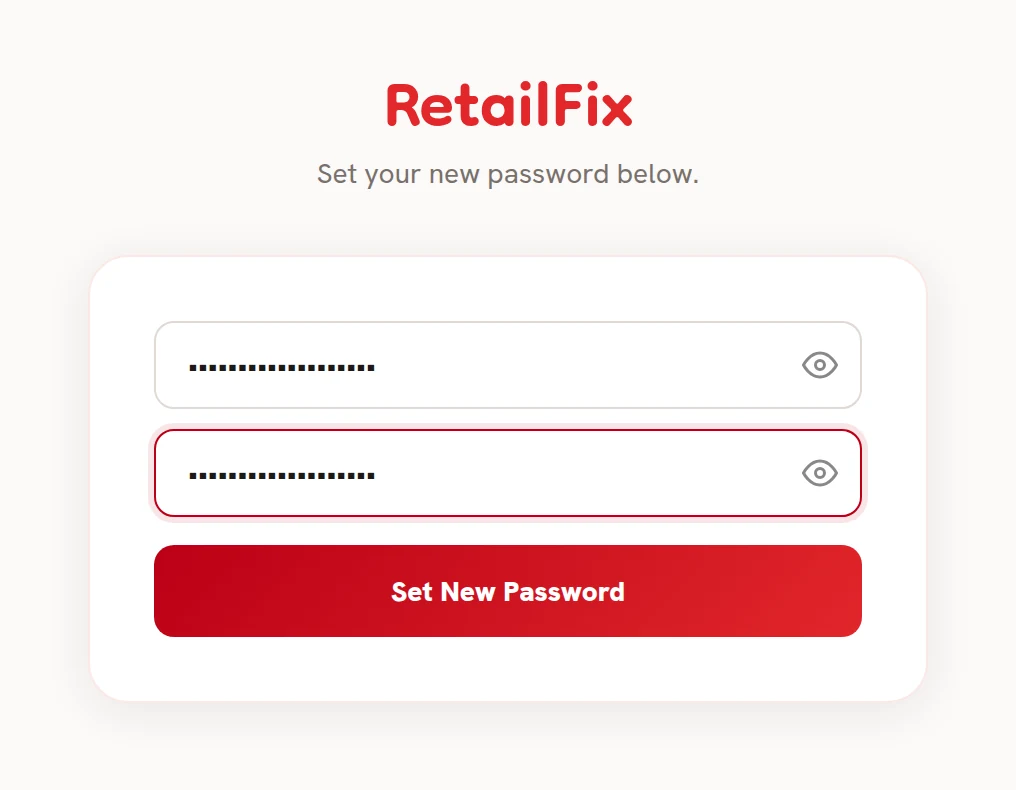 123
1235The confirmation email#
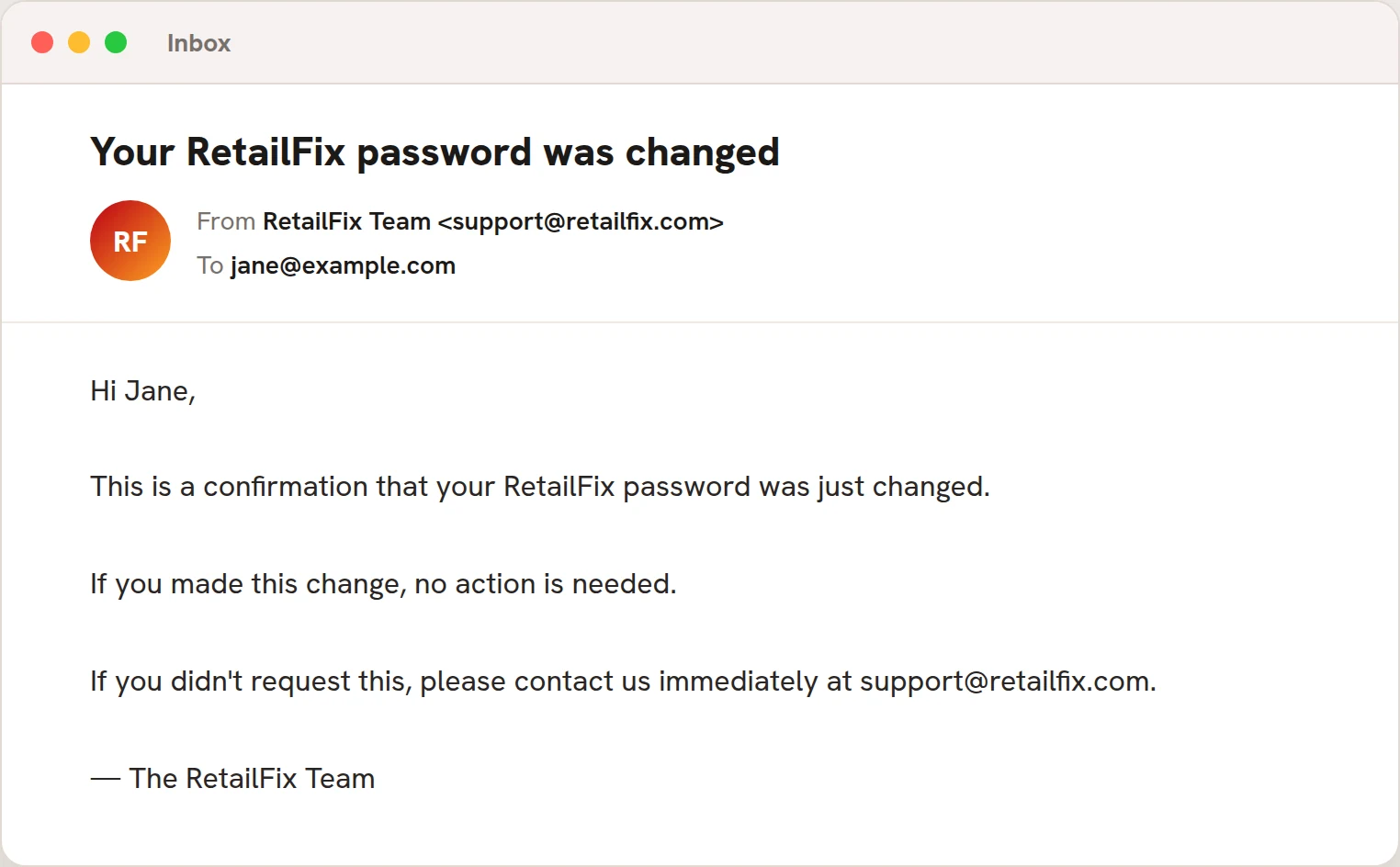
An email called Your RetailFix password was changed 1 confirms it. If you get this email and didn't change your password, contact support@retailfix.com straight away.
Changing your password logs you out on your other devices.
 1
1