Getting started
Creating your RetailFix account
Sign up for a free RetailFix account and confirm your email to start using it.
Download the PDF1Fill in the sign-up form#
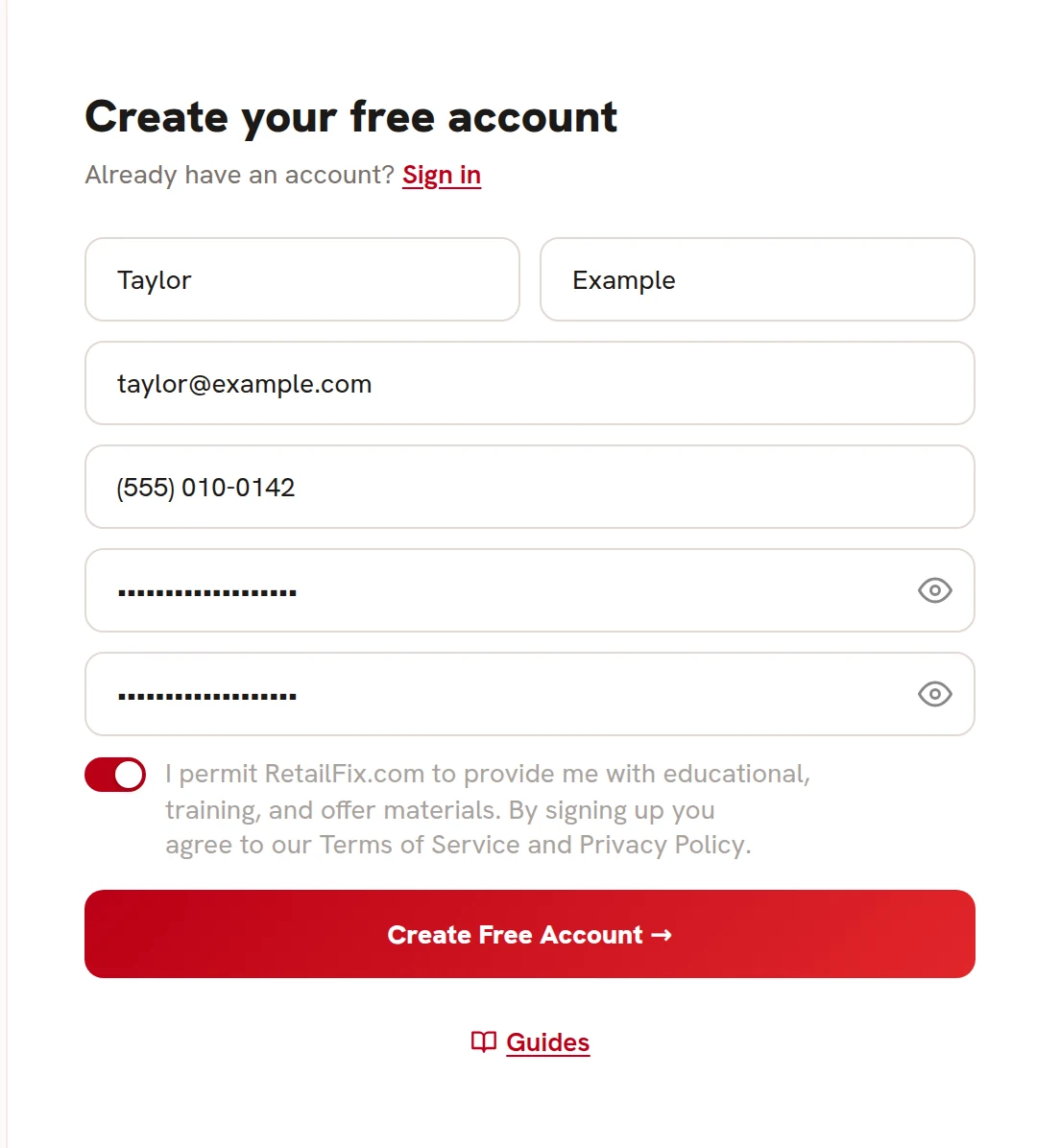
Go to store.retailfix.com. The Create your free account form is on the right.
- Enter your first name 1. Your last name is optional.
- Enter your email address 2. This is the address you log in with.
- Add a phone number 3 if you like. It's optional.
- Choose a password of at least 12 characters 4 and type it again to confirm it 5. Click the eye to see what you typed.
- Turn on the switch to agree to the terms 6. You can't sign up without it.
Then click Create Free Account 7.
 1234567
2Check your email#
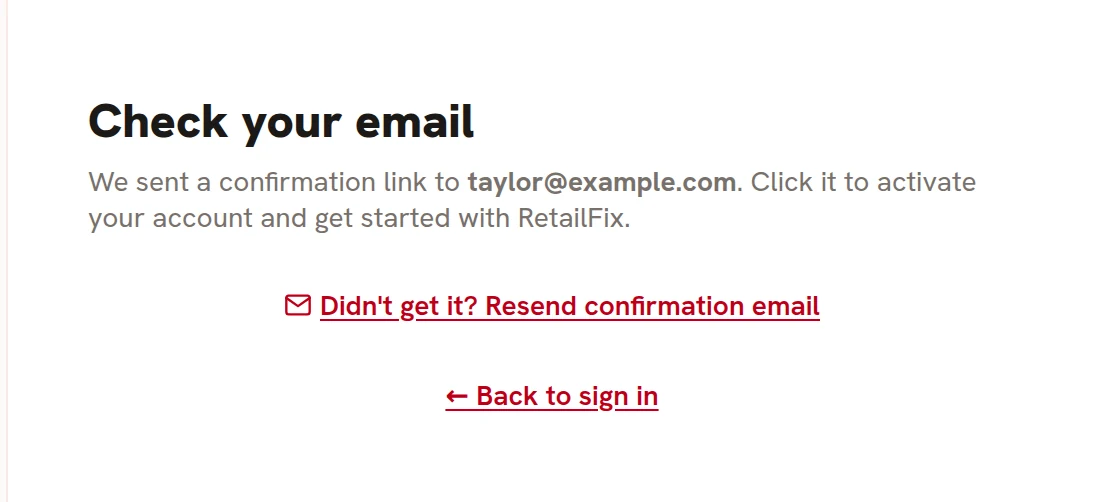
The page changes to Check your email 1. Your account isn't made yet: it's made when you click the link in the email.
If the email doesn't arrive, look in your spam folder, then click Didn't get it? Resend confirmation email 2. Each new email replaces the link in the one before, so use the newest. You can ask for a new one once a minute.
Back to sign in 3 takes you to the login form.
 123
1233Click the link in the email#
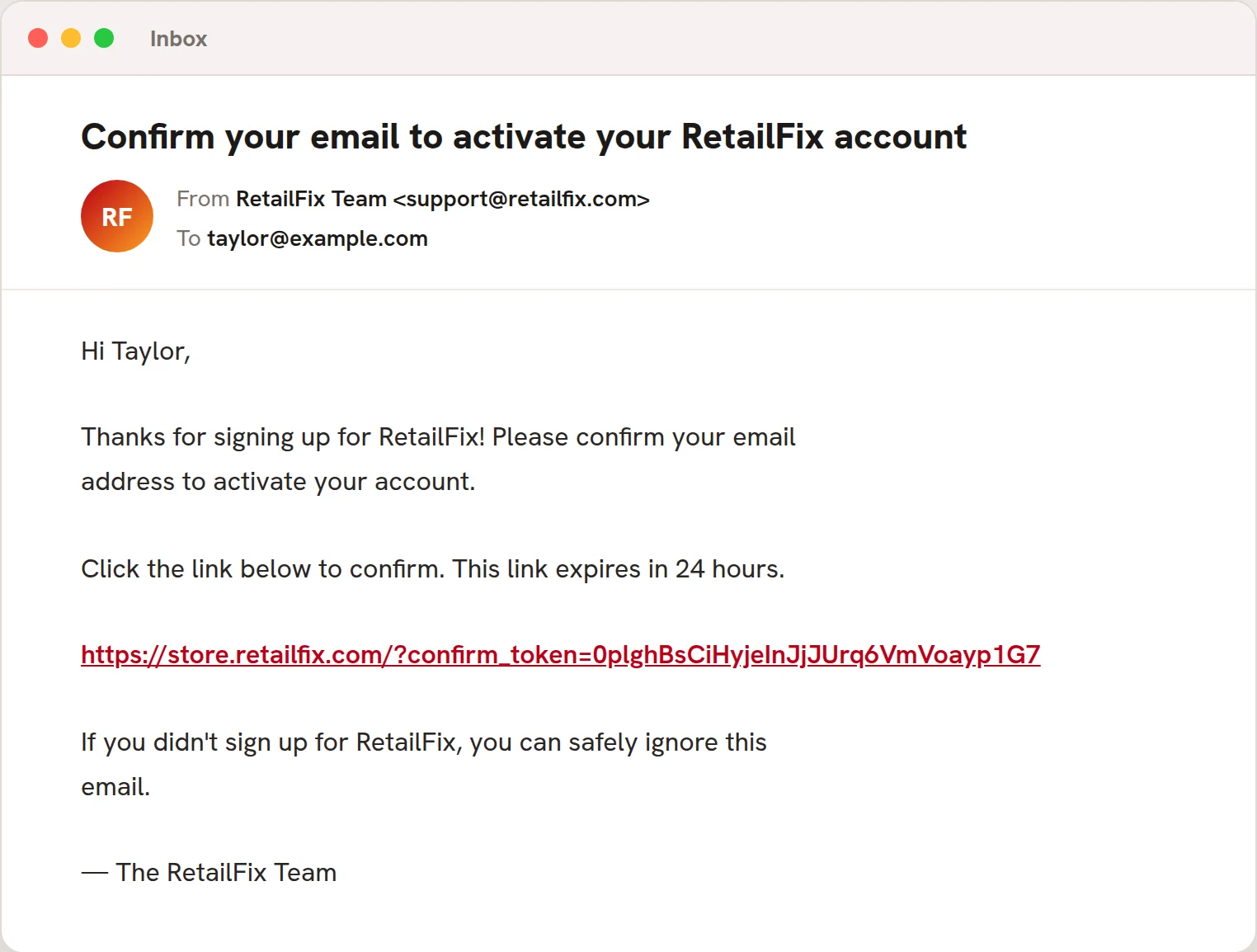
Open the email called Confirm your email to activate your RetailFix account 1 and click the link 2. The link works for 24 hours.
If the link has run out, sign up again with the same email address.
 12
124Start using RetailFix#
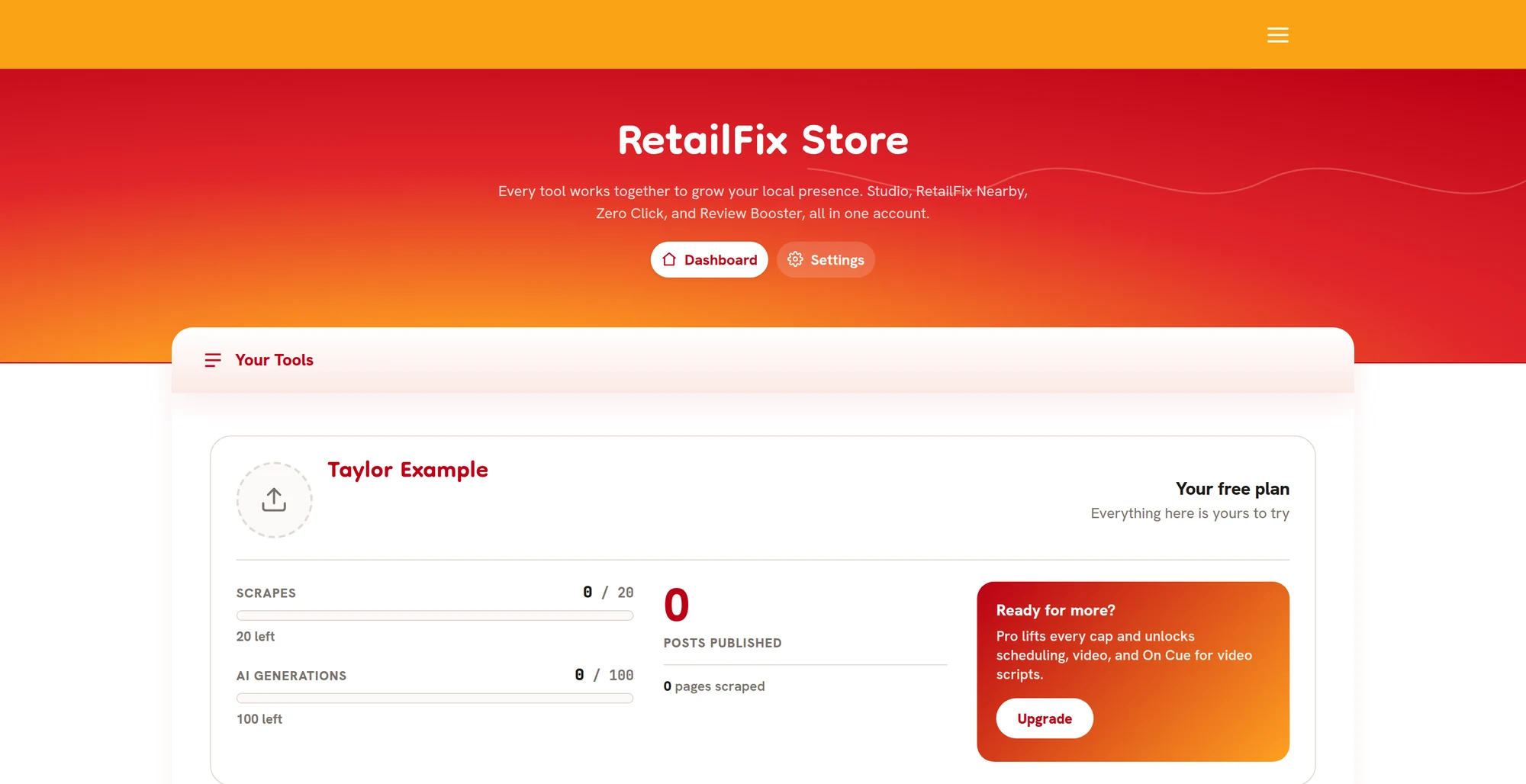
Clicking the link makes your account and logs you in. You land on your dashboard, and a welcome email follows.
A free account includes 20 scrapes and 100 AI generations in RetailFix Studio. The Your free plan panel shows how many you have left, and Upgrade opens the purchase window.